



How to calculate work time with breaks
- Start with times, then subtract the break
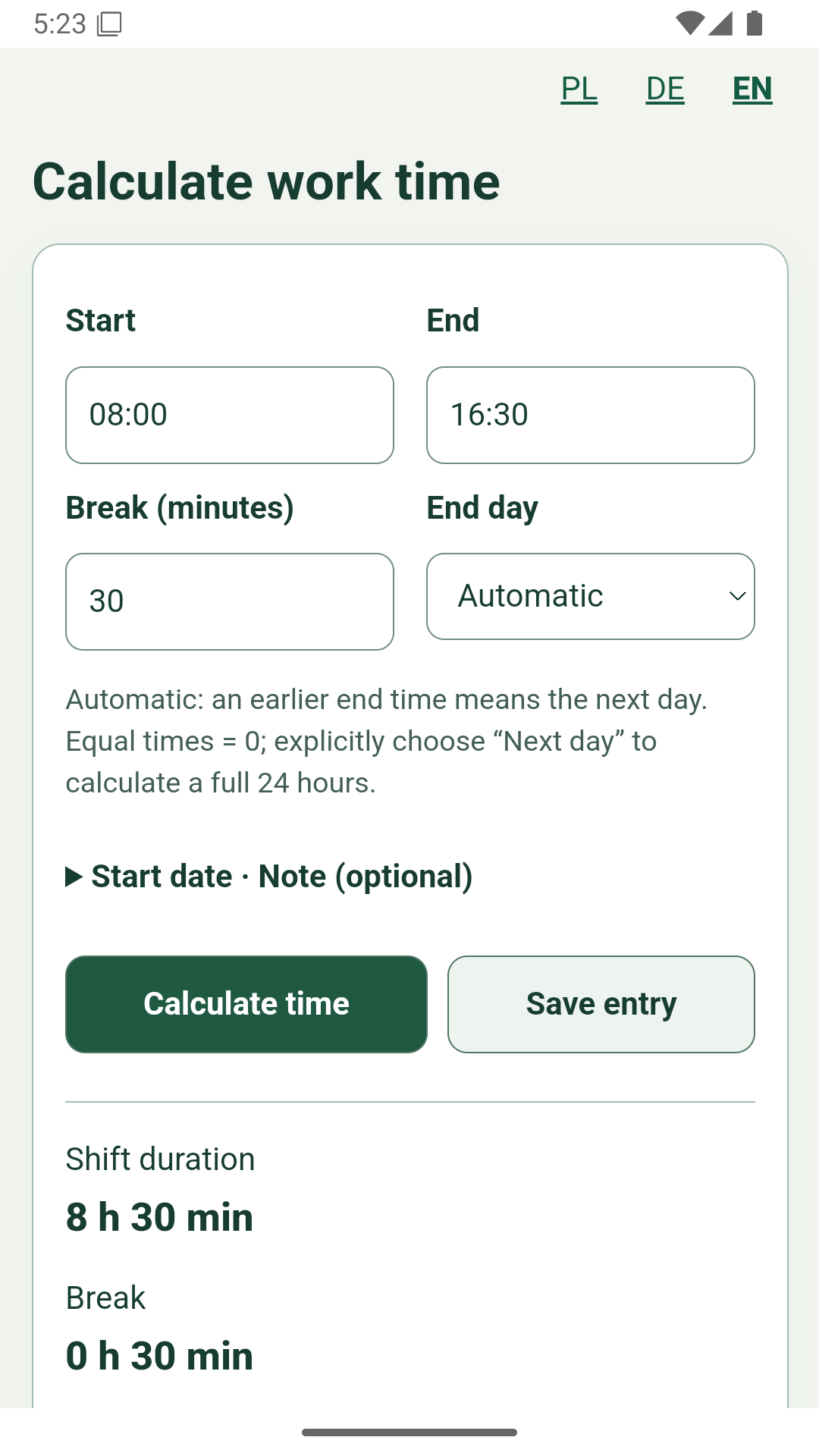
- Example: 08:00 to 16:30
- Shifts across midnight
- Equal times and a full day
- Decimal hours are not minutes
- Records and summaries in the app
- Export and keep your records
- When you should check separately
- Can a break reduce work time to zero?
- Do I need an account or internet?
Start with times, then subtract the break
Enter the actual start and end times. Enter the total break minutes you wish to subtract. We do not insert a break automatically or decide whether it was paid. The result separates shift duration, subtracted break and remaining working time.
Example: 08:00 to 16:30
From 08:00 to 16:30 is 8 hours 30 minutes, or 510 minutes. Subtract a 30-minute break: 510 − 30 = 480 minutes, or 8 working hours. With a 45-minute break, the result would be 7 hours 45 minutes.
Shifts across midnight
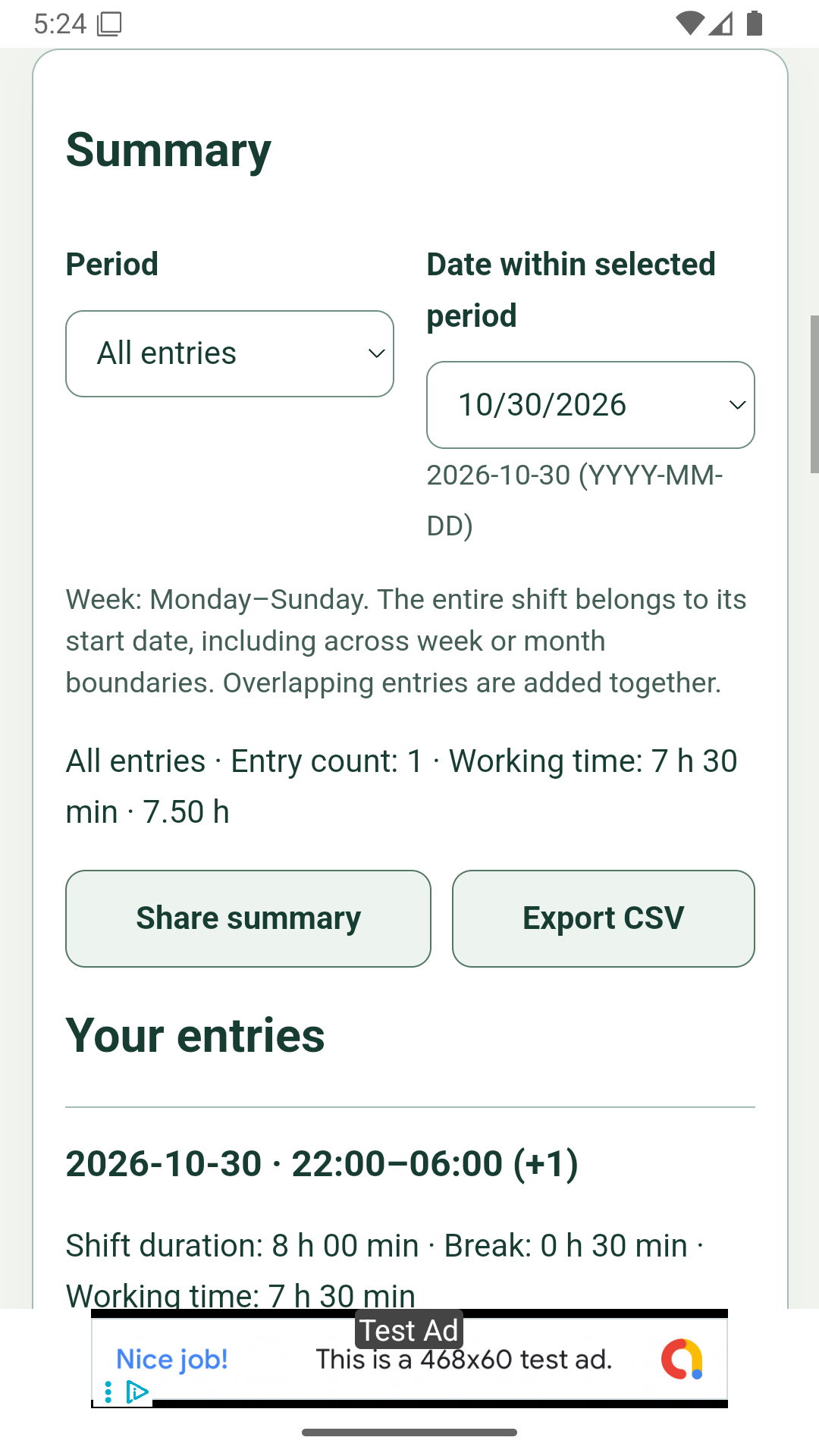
From 22:00 to 06:00 the next day is 2 hours before midnight and 6 afterwards. That makes 8 hours; after a 30-minute break, 7 hours 30 minutes remain. Automatic mode treats an earlier end time as tomorrow. Explicitly selecting the day helps you check your intention before saving.
Equal times and a full day
08:00–08:00 gives 0 minutes in Automatic or Same day mode. You get a full 24 hours only by choosing Next day. Intervals longer than 24 hours are rejected. Split longer periods deliberately into separate entries instead of relying on the calculator to guess the dates.
Decimal hours are not minutes
7 hours 30 minutes = 7.50 hours; 7 hours 45 minutes = 7.75. The fractional part represents a fraction of 60 minutes. Divide minutes by 60. A value of 7.30 hours means 7 hours 18 minutes. Two decimal places are an approximation; totals use exact minutes.
Records and summaries in the app
The app stores the start date, times, break and an optional note. The whole shift is assigned to its start date. Sunday night into Monday belongs to the preceding week; a night starting on 31 January belongs to January. Weeks start on Monday. Overlapping entries are also added together, so check for duplicates.
Export and keep your records
Regularly share a text summary or save a CSV file from the app. Choose week, month or all entries before exporting. CSV includes exact minutes and supplementary decimal hours. Export is not an automatically restorable import backup. Removing the app or its data deletes local entries.
When you should check separately
This calculator uses clock times without time zones, seconds or daylight saving adjustments. On clock-change nights, the displayed difference may differ from actual elapsed time. Do not use that result as your only basis for payroll. The tool does not determine employment law, overtime, pay or mandatory breaks.
Can a break reduce work time to zero?
Yes. 08:00–09:00 with a 60-minute break gives 0 minutes of work. A 61-minute break is an error. Negative results cannot be saved.
Do I need an account or internet?
The web calculator needs no account and calculates on your device. The installed app’s basic functions work offline. Ads and external pages may need a connection. Records do not sync between phones.
Sources and scope
NIST explains clock changes. This tool’s calculation rules are described here; they are not employment law rules. ARWIVO, 30 October 2026.