
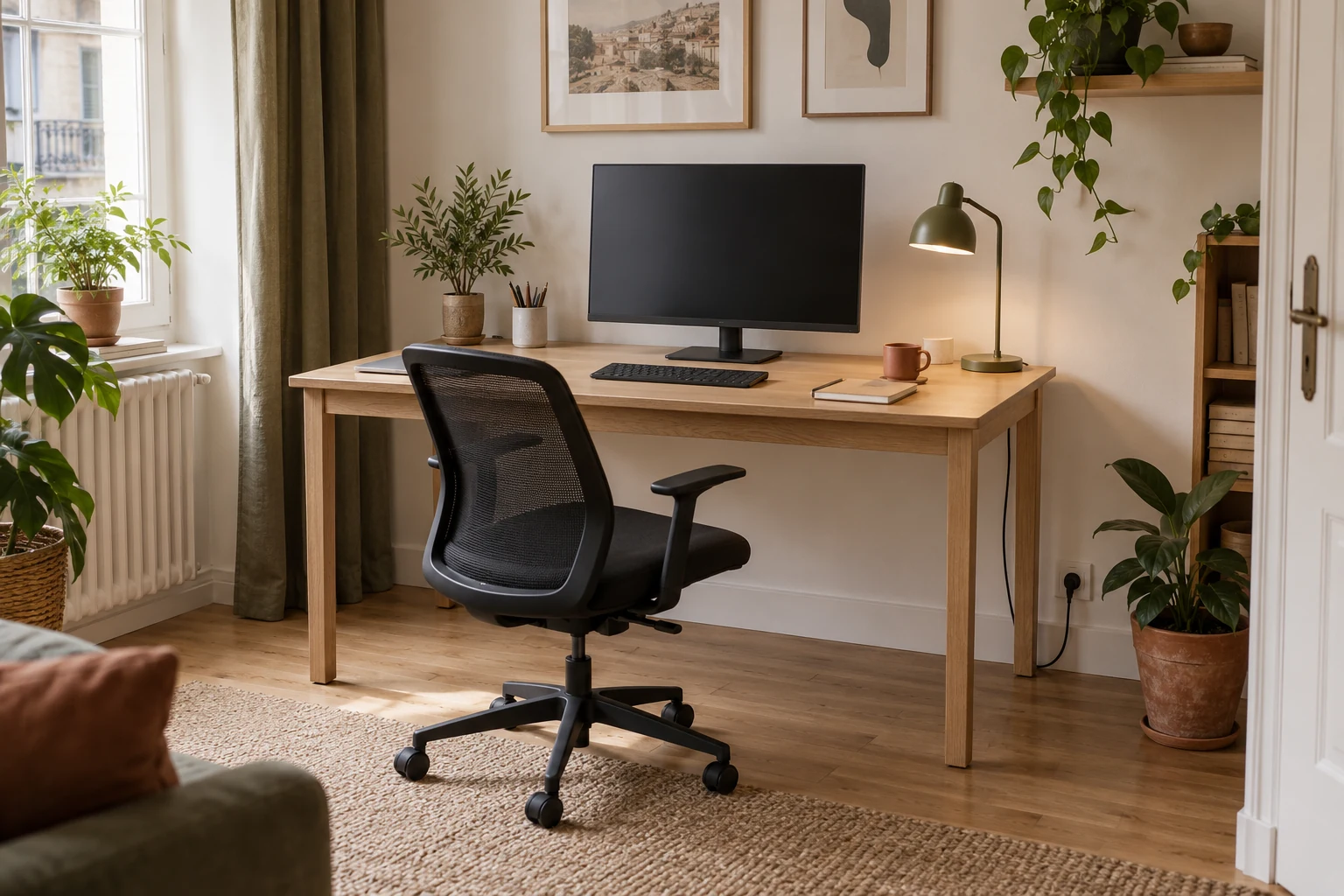
120 × 60 / Your plan
Plan the route first. Choose accessories later.
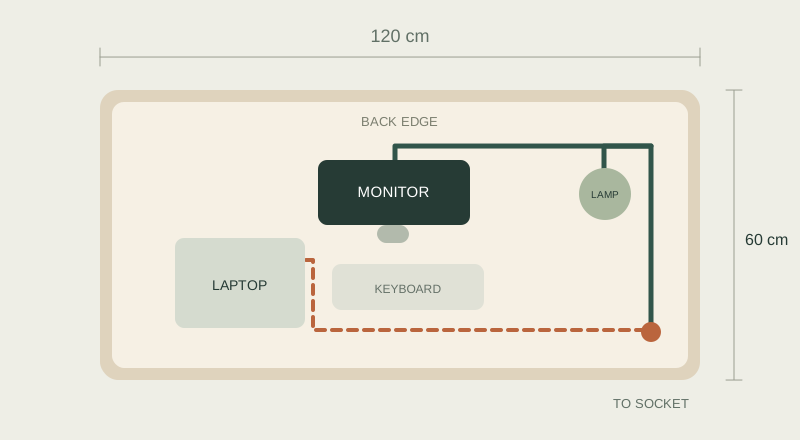
Our example uses a monitor, laptop and lamp. Fixed leads run along the back; the laptop cable stays easy to unplug. Adapt the plan to your equipment and socket position.
Take a look
Separate what you take with you.
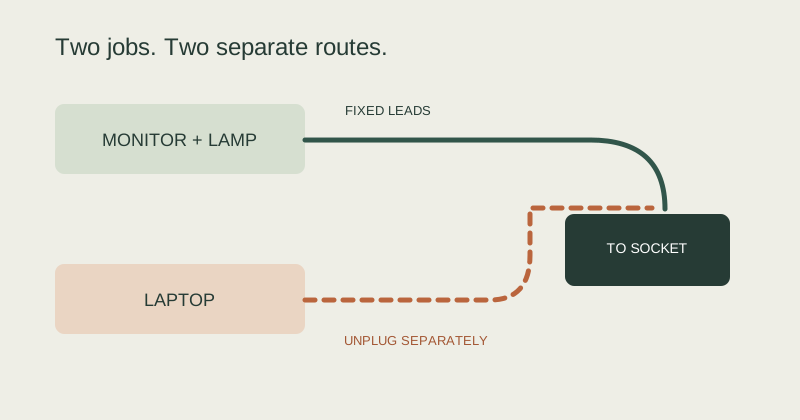
Remove unused cables. Separate fixed leads, such as the monitor cable, from those you unplug daily. Your laptop lead should come away without opening the whole bundle.
In practiceKeep monitor connections accessible. Do not bind every cable along its full length.
Plan the route
Give fixed leads an accessible route.
Lay the cables along the rear edge before fixing anything. Choose an exit close to the socket. Plan adapters and the power strip separately, allowing access and ventilation according to their instructions.
In practiceA guide still needs a fixing method suitable for your desktop material and thickness.
Measure the run
Measure the cable route, not the desk.
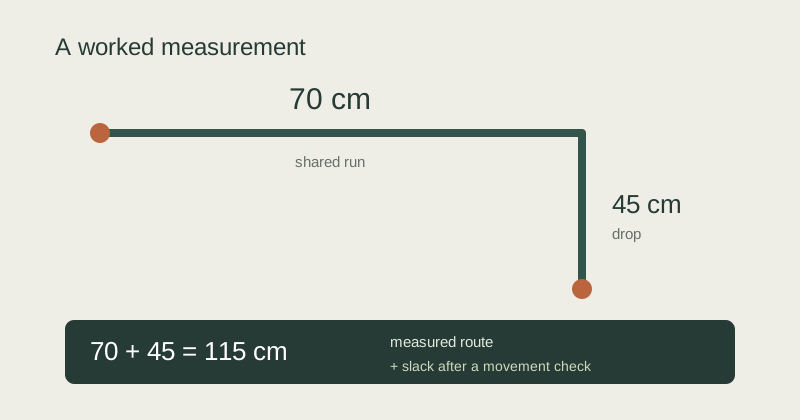
Follow the planned run with a tape measure. Measure the shared section separately from device connections. Check that plugs can be removed and the monitor can move.
In practiceExample: 70 cm shared run + 45 cm drop = 115 cm measured route. Determine extra slack with a movement check; there is no single allowance for every desk.
Organise and check
Bundle loosely. Sit down. Try it out.
Start with loosely closed reusable ties. Add a sleeve only where leads run together. Unplug your laptop and move the monitor; cables should not pull on connections.
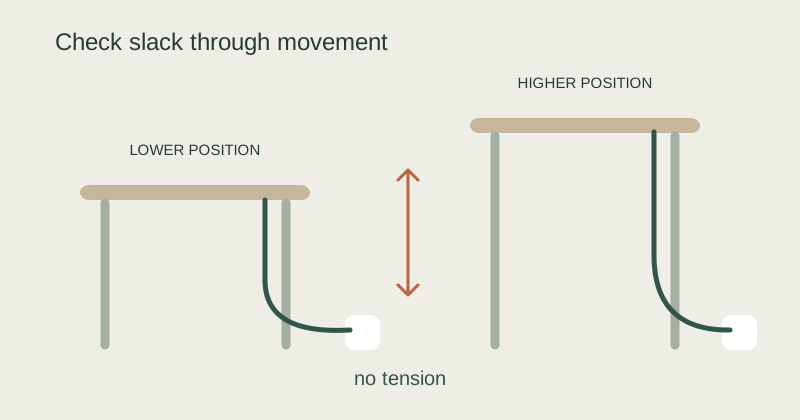
In practiceFor an adjustable desk, check the lowest and highest positions you use. Choose a route that avoids tension and pinching.

HOME OFFICE / 02
The same plan, a smaller workspace.
For a laptop-only setup, an accessible charging route and a few reusable ties may be enough. Add accessories when there is a specific problem to solve.
CHECKLIST
Done means easier to use every day.
Try your setup before fixing everything in place.
Start with one small change.
Lay out the route first. Then choose ties, a sleeve or a guide. Your desk should still be easy to use next week.
See the desk plan ↑About this guide
Diagram dimensions are editorial examples. We have not tested these models ourselves. Photos are AI visualisations; diagrams explain organisation principles, not installation instructions for a particular product. Model details: Dataflex catalogue, pages 44–46. Check price, variant and availability on Amazon.de.
Manufacturer catalogue (Opens in a new tab)